
Consland - Consulting & Insurance HTML Template
Created: 12 December, 2023
Thank you for purchasing our template. If you have any questions that are beyond the scope of this help file, please feel free to [email protected] email us
Template Installation
-
FTP Upload:
- Open up your FTP manager and connect to your hosting
- Browse to required directory (Normally public_html)
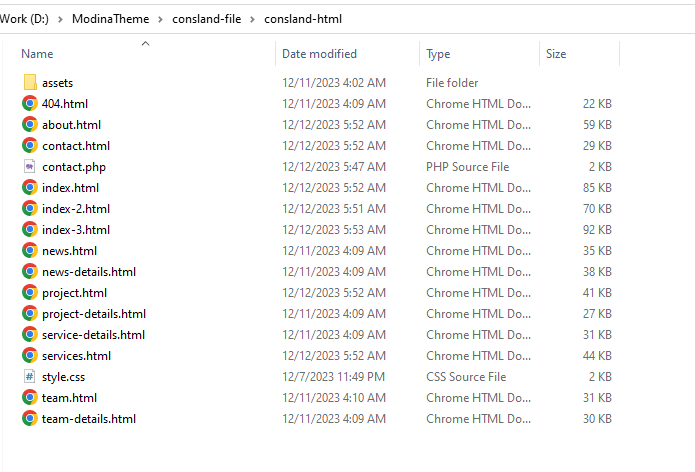
- Upload the files inside consland-html folder.
Pages
- index.html 1st Home Page
- index-2.html 2nd Home Page
- index-3.html 3rd Home Page
- about.html About Page
- services.html Services Page
- services-details.html Services Details Page
- projects.html projects Page
- project-details.html projects details Page
- team.html Team Page
- team-details.html Team Details
- contact.html Contact Us Page
- faq.html FAQ Page
- 404.html 404 Page
- event-details.html Single Event Details Page
- news.html News - Blog Page
- news-details.html Single News / Blog Details Page
- mail.php mail.php file
Fonts
    <!-- Google Fonts
    ============================================ -->
    Red Hat Display - <link href='https://fonts.googleapis.com/css2?family=Red+Hat+Display' rel='stylesheet' type='text/css'>
    DM Sans - <link href='https://fonts.googleapis.com/css2?family=DM+Sans' rel='stylesheet' type='text/css'>
Source File (CSS)
    <!-- ===========  All Stylesheet  ================= -->

    <!-- fontawesome css plugins
    ============================================ -->
    <link rel="stylesheet" href="assets/css/font-awesome.min.css">

    <!-- metismenu CSS
    ============================================ -->
    <link rel="stylesheet" href="assets/css/metismenu.css">
    <
    !-- animate CSS
    ============================================ -->
    <link rel="stylesheet" href="assets/css/animate.css">

    <!-- magnific-popup CSS
    ============================================ -->
    <link rel="stylesheet" href="assets/css/magnific-popup.css">

    <!-- Swiper Carousel CSS
    ============================================ -->
    <link rel="stylesheet" href="assets/css/swpier.min.css">

    <!-- helper CSS
    ============================================ -->
    <link href="assets/css/helper.css" rel="stylesheet">

    <!-- Bootstrap CSS
    ============================================ -->
    <link href="assets/css/bootstrap.min.css" rel="stylesheet">

    <!-- Template Style CSS
    ============================================ -->
    <link rel="stylesheet" href="assets/css/main.css">

    <!-- Style CSS
    ============================================ -->
    <link rel="stylesheet" href="style.css">
Source File (JS)
    <!-- All JS Plugins -->

    <!-- jQuery
    ============================================ -->
    <script src="assets/js/jquery.min.js"></script>

    <!-- Bootstrap
    ============================================ -->
    <script src="assets/js/bootstrap.min.js"></script>

    <!-- Others jQuery Plugins
    ============================================ -->
    <script src="assets/js/jquery.easing.1.3.js"></script>
    <script src="assets/js/popper.min.js"></script>
    <script src="assets/js/scrollUp.min.js"></script>
    <script src="assets/js/slick.min.js"></script>
    <script src="assets/js/magnific-popup.min.js"></script>
    <script src="assets/js/wow.min.js"></script>
    <script src="assets/js/metismenu.js"></script>
    <!-- Main JS
    ============================================ -->
    <script src="assets/js/active.js"></script>
Customization
How to Change Logo
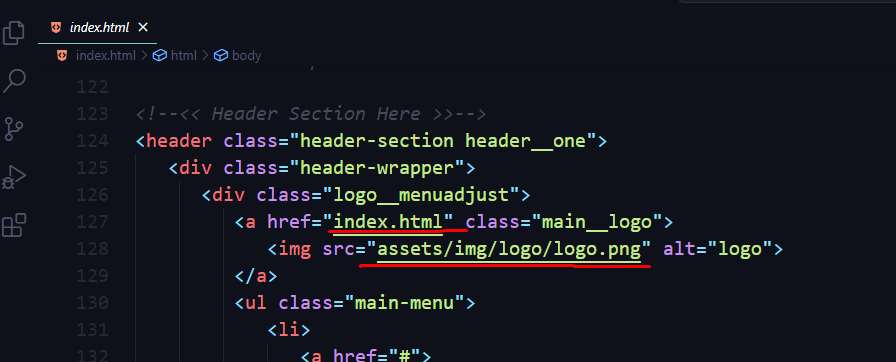
How to Change Title

How to Change Favicon

How to Change Preloader

How to Change Hero Sliders Section Homepage


How to Change Section Title

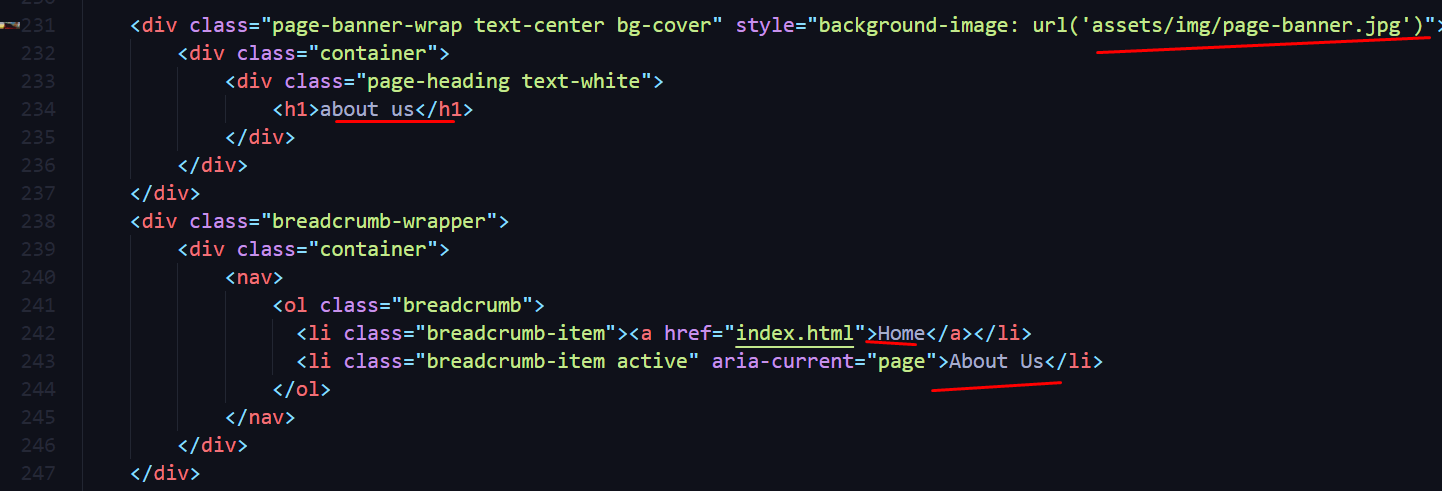
How to Change Page Banner
How to Change Services

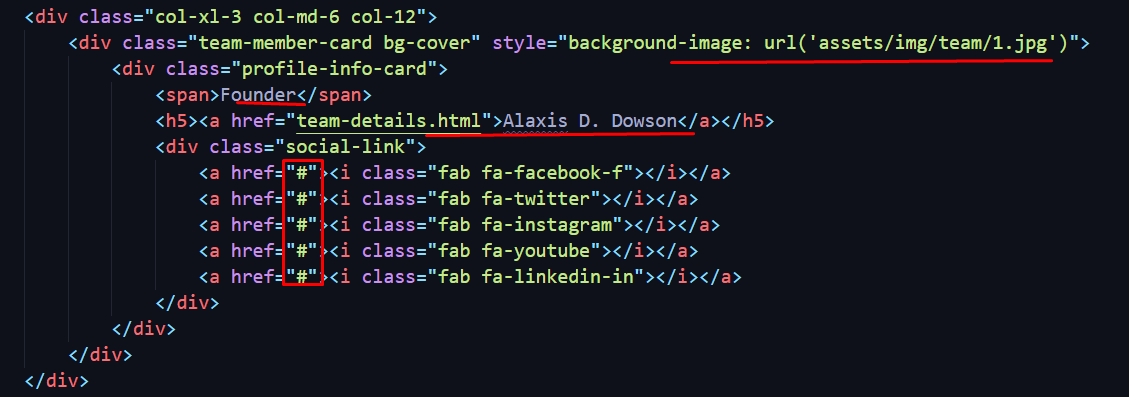
How to Change Single Team Member
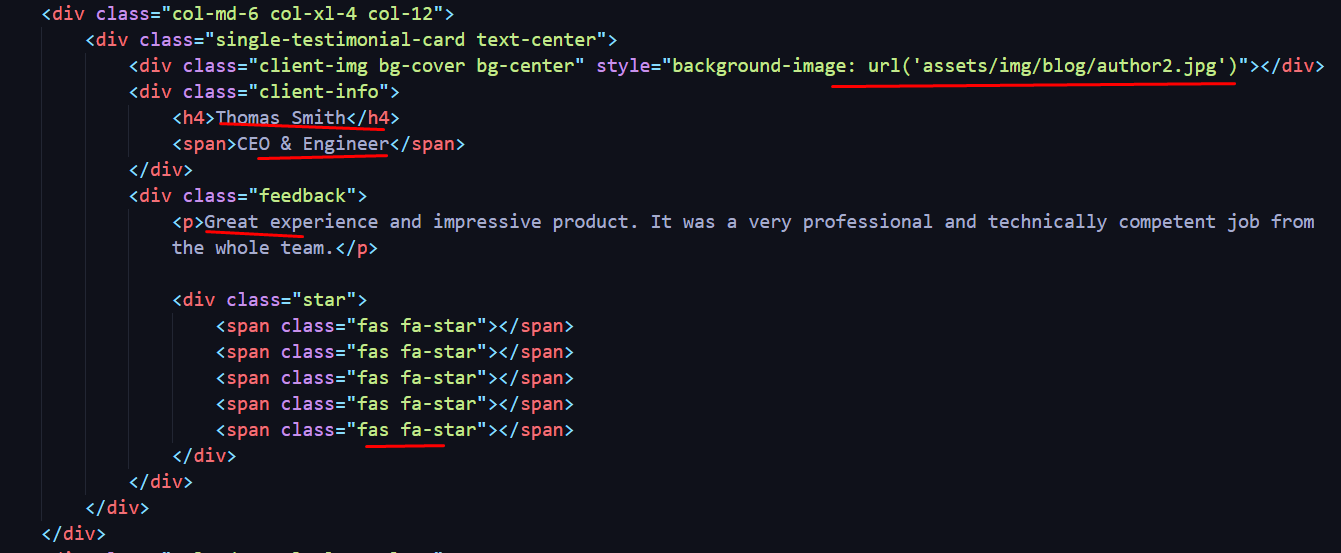
How to Change Single Review
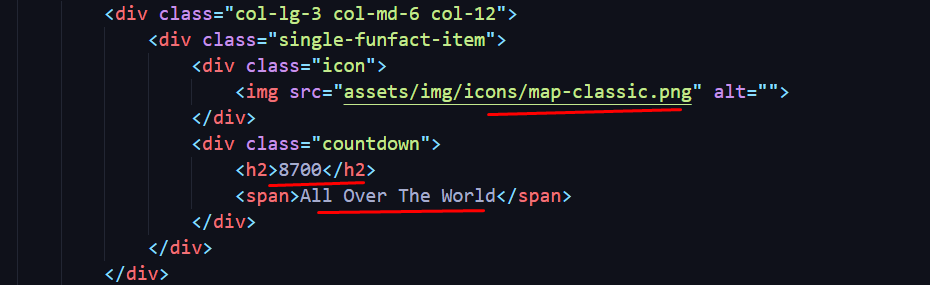
How to Change Single Fun fact
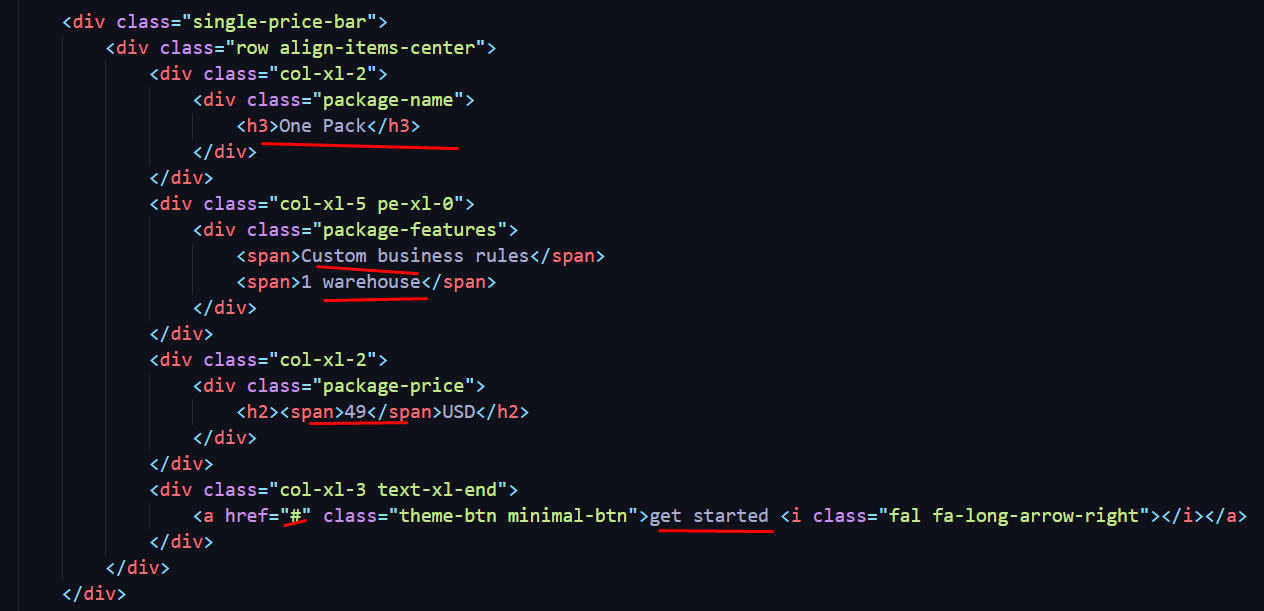
How to Change Single Price Item
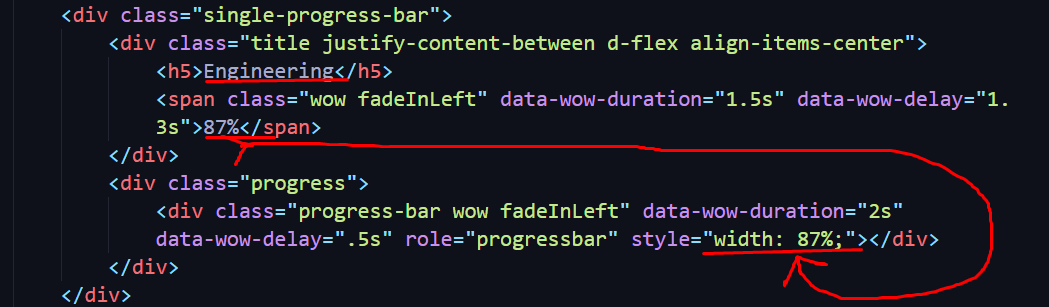
How to Change Single-skill Item
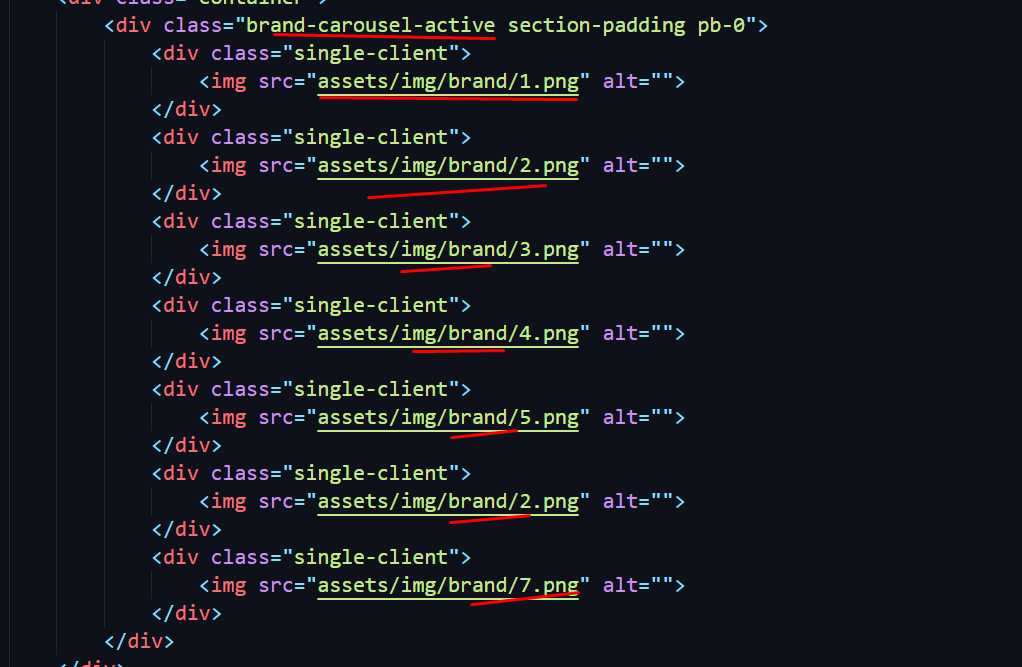
How to Change Sponsor Carousel Item
How to Change Blog Section Item

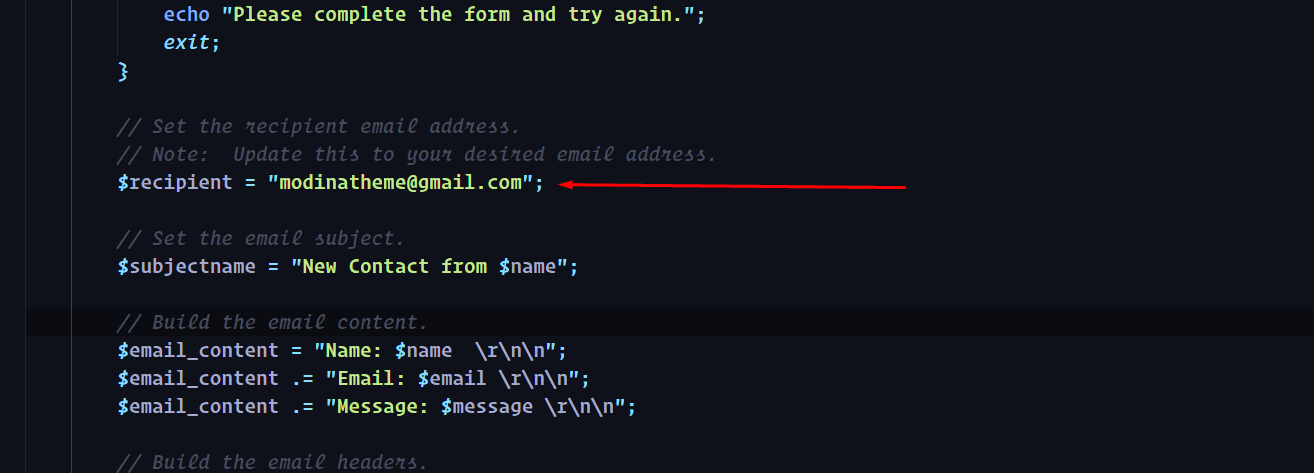
How to Change Mail Address with Your's - Open mail.php file and edit.

How to Change Social Links

How to Change Copyright

SCSS Structure

CSS Structure
I'm using One SCSS files in this template. You change the SCSS Code of style.scss file
=================================
|***    Table of contents:   ***|
=================================
1. General styles
2. Typography
3. Helpers
4. Preloader
5. Go up button
6. Header and navigation
7. Hero Section
8. About us
9. Causes
10. Fun facts
11. Events
12. Blog

*Note: Responsive css in style.css file bottom.
If you would like to edit a specific section of the site, simply find the appropriate label in the CSS file, and then scroll down until you find the appropriate style that needs to be edited.
Home Page Hero Sliders section CSS - find and change it on _hero.scss from "assets/scss" folder
    .banner__section{
        margin-top: -20px;
        .right__shape1{
            position: absolute;
            right: 0;
            top: 0;
            bottom: 0;
            z-index: 2;
            img{
                height: 100%;
            }
            @include breakpoint(max-xl){
                display: none;
            }
        }
        .right__shape2{
            position: absolute;
            bottom: 0;
            right: 0;
            z-index: 3;
            @include breakpoint(max-xl){
                display: none;
            }
        }
        .right__shape3{
            position: absolute;
            right: 0;
            top: 0;
            @include breakpoint(max-xl){
               display: none;
            }
        }
        .arry__button{
          position: absolute;
          top: 50%;
          right: 315px;
          transform: translateY(-50%);
          display: grid;
          z-index: 999;
          @include breakpoint(max-xl){
            display: none;
            }
            .arry__prev{
                width: 55px;
                height: 55px;
                border-radius: 100%;
                border: 1px solid var(--pra);
                margin-bottom: 15px;
                background: var(--white);
                @include transition;
                margin-left: 20px;
                i{
                    color: var(--black);
                    @include transition;
                }
               &:hover{
                    background-color: var(--theme);
                    border: 1px solid var(--theme);
                    i{
                        color: var(--white);
                    }
               }

            }
            .arry__next{
                width: 51px;
                height: 51px;
                border-radius: 100%;
                background-color: transparent;
                border: 1px solid var(--border);
                @include transition;
                i{
                    color: var(--white);
                    @include transition;
                }
                &:hover{
                    background-color: var(--theme);
                    border: 1px solid var(--theme);
                    i{
                        color: var(--white);
                    }
               }
            }
        }
        .swiper-slide-active .banner__image {
            -webkit-transform: scale(1.12);
            -moz-transform: scale(1.12);
            transform: scale(1.12);
        }
        .banner__pagination__wrapper{
            position: absolute;
            right: 13%;
            top: 50%;
            transform: translate(-50%,-50%);
            z-index: 999;
            @include breakpoint(max-lg){
                display: none;
             }
            .banner-pagination{
                display: grid;
                gap: 10px;
                .swiper-pagination-bullet {
                    width: 7px;
                    height: 7px;
                    border-radius: 100%;
                    transition: 0.6s;
                    background-color: var(--white);
                    opacity: 1;
                    &:hover {
                        background: var(--white);
                    }
                }
                .swiper-pagination-bullet.swiper-pagination-bullet-active {
                    width: 7px;
                    background-color: var(--theme2);
                    transition: 0.6s;
                }
            }
        }
    }
Change section padding CSS - find and change it on style.css or _variable.scss file from scss folder
.section-padding {
    padding: 130px 0px;
}
JavaScript Customization
Change The Carousel & Others with your's choice
            function loader() {
                $(window).on('load', function() {
                    // Animate loader off screen
                    $(".preloader").addClass('loaded');
                    $(".preloader").delay(600).fadeOut();
                });
            }

            loader();


//>> Banner Animation <> Banner Animation <